settings.json
This file represents the default settings that can be accessed and changed by the user on the Settings Dialog:
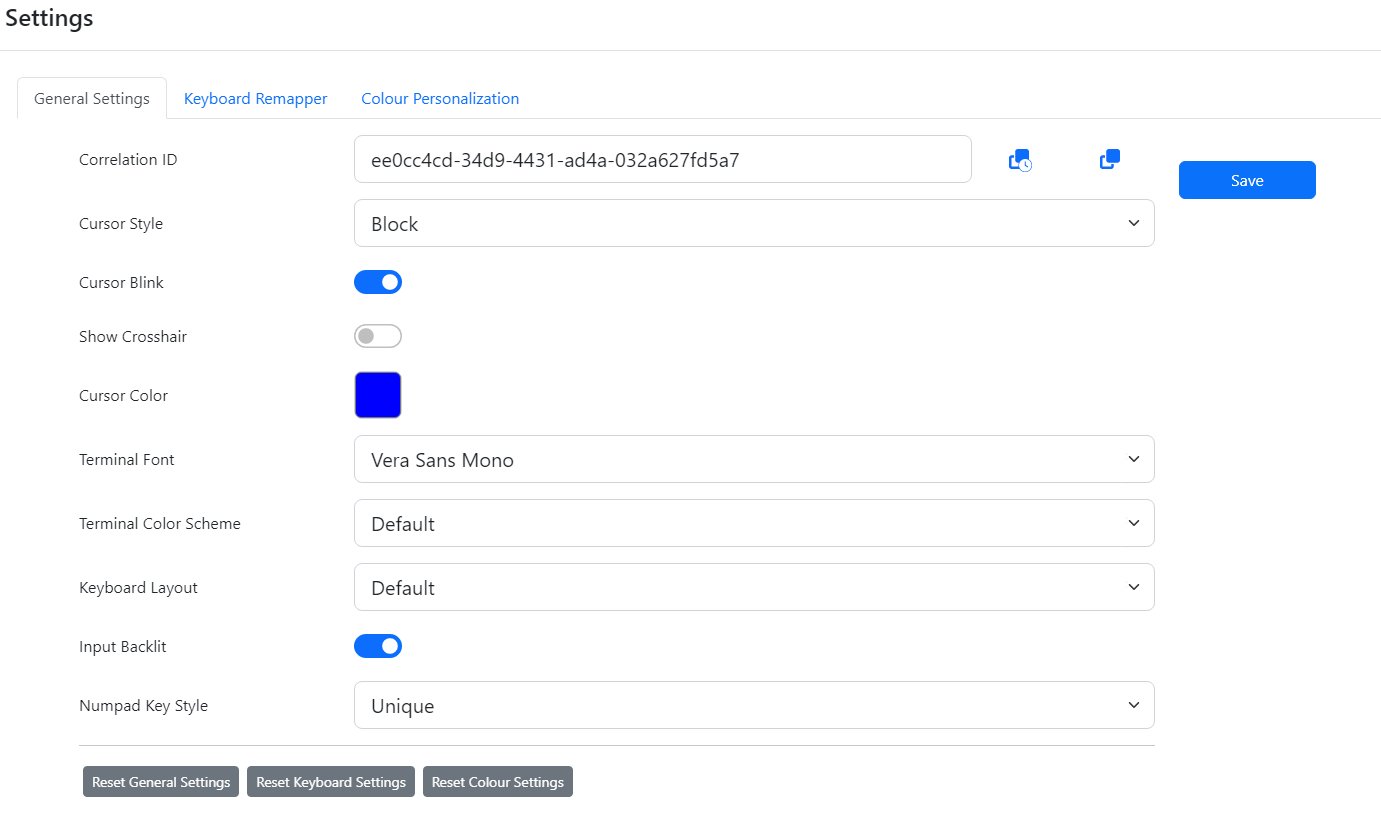
The file contains:
{
  "CursorStyle": "block",
  "Blink": false,
  "Crosshair": false,
  "CursorColour": "#0000ff",
  "ScreenFont": "Vera Sans Mono",
  "ScreenColourScheme": "Default",
  "InputBacklit": true,
  "KeyboardLayout": "Default",
  "NumpadKeyStyle": "Unique",
  "AJConvDefaultState": false,
  "CRLFConvDefaultState": false
}
The settings will return to the defaults according to this file on clicking the "Reset General Settings" button on that dialog. If users had personalised settings, after clicking Reset this file determines their settings.
The Settings
"ScreenFont"
This needs to be one of the available, installed fonts. By default, this will need to be from the following list:
- 'Vera Sans Mono'
- 'Source Code Pro'
- 'Inconsolata'
- 'VT323 Regular'
"CursorStyle"
can only be one of:
- "CursorStyle": "block"
- "CursorStyle": "underline"
"ScreenColourScheme"
This can only be one of the names schemes in colourmappings.json like: "Name": "Default", These choices, in a standard install, are:
- "Default"
- "Standard"
- "Greenscreen"
The user's choice in the front end look like:

"NumpadKeyStyle"
This can either be:
- "NumpadKeyStyle": "Unique"
- Choose this option if you need to apply settings / mappings to the number pad keys for both states of NumLock independently.
- "NumpadKeyStyle": "Paired"
- Choose this option if you don't need the keys mapped independently and have the keys mapped to the same function irrespective of the NumLock status.
Two IND$FILE settings
These settings only relate to host connections that have IND$FILE enabled.
- "AJConvDefaultState": false,
- If true, EBCDIC to ASCII conversion is enabled.
- "CRLFConvDefaultState": false
- If true, conversion to Windows friendly line ending will be enabled to CR+LF for line endings.